
Hjälpcentral
How to Create an Email Account in cPanel Skriv ut denna artikeln
By default, you have no email account set up. The main username may look like it is set up as an email, but if you wish to use it, you will need to add it as an email account. The instructions below will guide you through creating and accessing an email account in cPanel.
To create an email account:
- Log into cPanel.
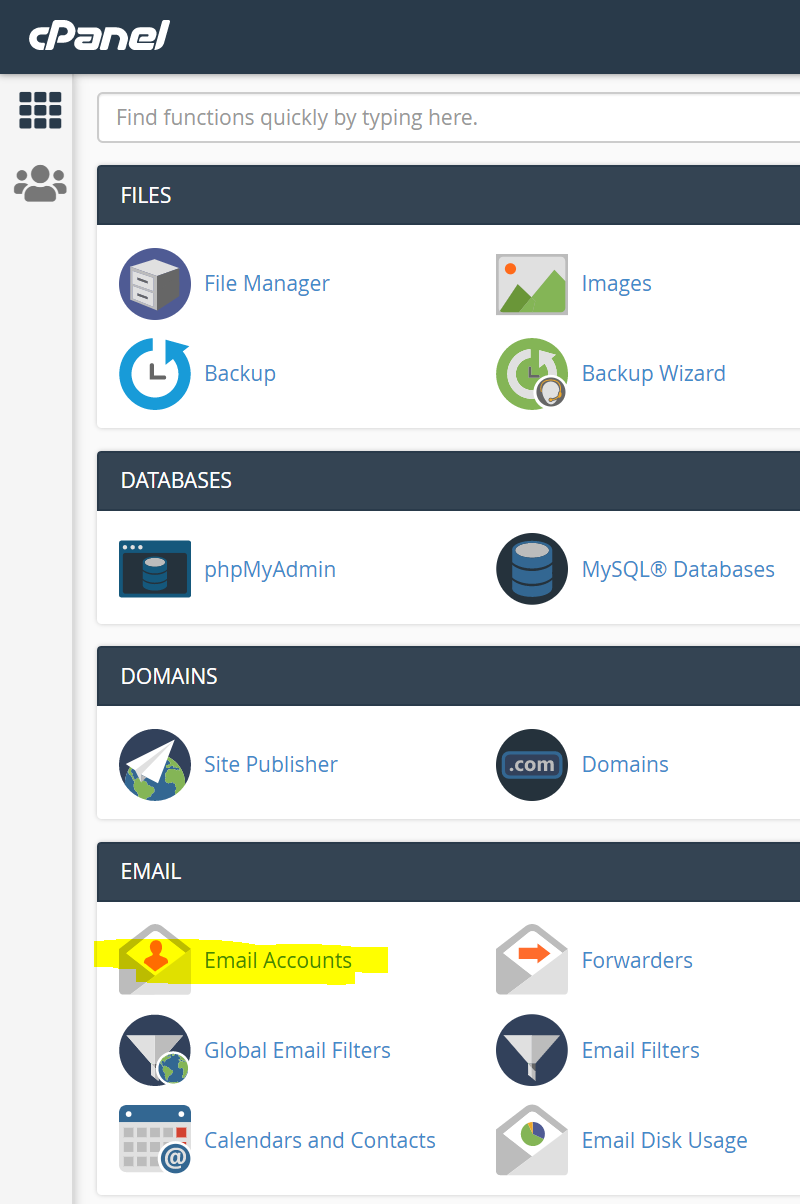
- In the Email section, click Email Accounts.
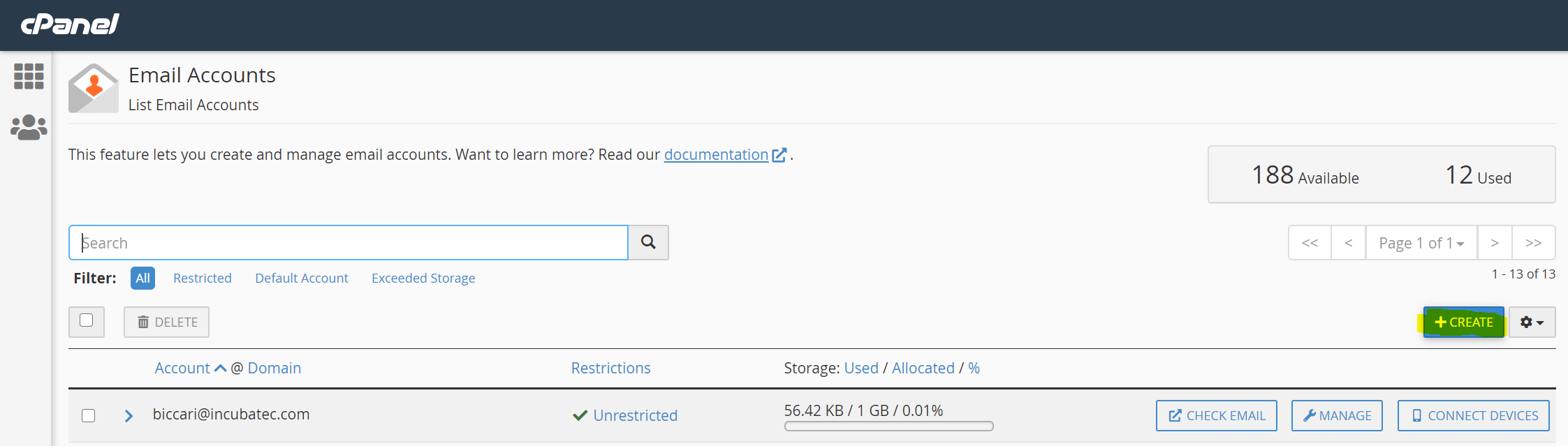
- In the Email Accounts screen, click on +CREATE:
- In the Usernamel field, type the name you want and select the domain name from the drop-down menu below.
Note: The email name shadow is reserved and cannot be used for an email address.
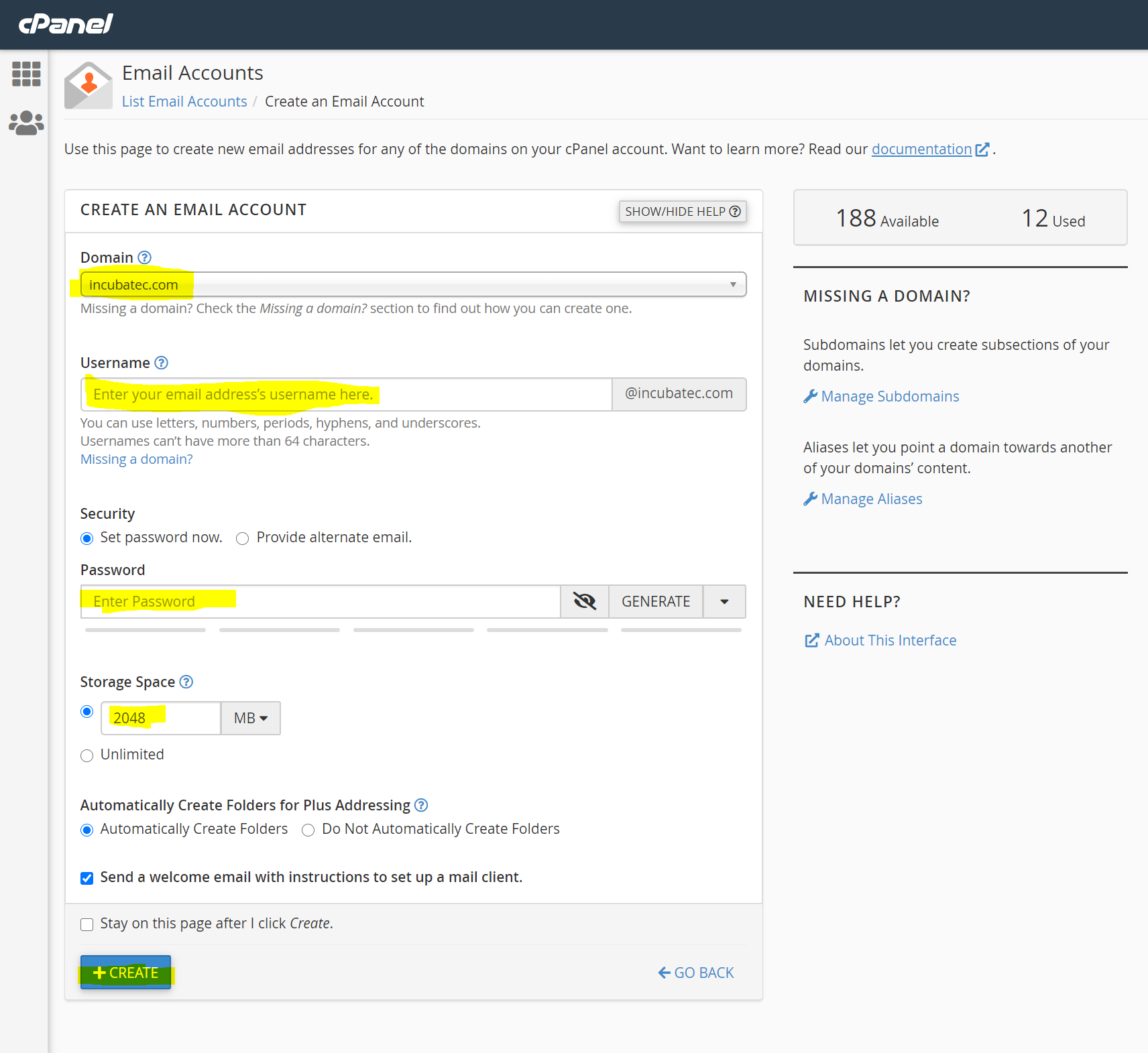
- In the Password field, type the desired password or generate one.
- Make a selection for Storage Space (=Mailbox Quota).
- Click +CREATE to create the account.
The same steps work for creating email accounts for your primary domain, addon domains and subdomains. You cannot create email accounts with a script or via SSH.
Send Only Email (do-not-reply addresses)
Advanced email users will sometimes need a "Do not reply" email address (such as forum moderators that need an address to send notifications). The following steps will allow you to disable incoming email for an address. If you do not need SMTP access to that address, you may skip the steps above.
To disable incoming mail for an address:
- Log into cPanel.
- In the Email section, click Email Forwarders.
- Under Create an Email Account Forwarders click Add Forwarder.
- On the Add a New Forwarder page:
- Enter the email name and select the domain for the address.
- Select Discard and send an error to the sender (at SMTP time).
- Enter the failure message you would like users to receive.
Note: If you do not wish for users to receive an error message, click Advanced Options and select Discard (Not Recommended).
- Click Add Forwarder
Hjälpte svaret dig?
Relaterade artiklar
You can access your Email account directly from Webmail.1. Open http://example.com/webmail,...
If you are going for a holiday or will be unavailable for few days or a month, you can create an...
Email Account Forwarders:Step 1: Log in to your cPanel account. Step 2: In the Email Section of...
If you want to change the password of your email account, you can do this through the following...
To create a new email address, perform the following steps:1. Log into your cPanel account. 2....
